


Angi: Hire Home Service Pros
4.214.06K Reviews
App Specs
- Version
- 26.26.0
- Updated On
- License
- Free
- Downloads
- 5,000,000+
- Developer
- Angi Inc
- Categories
- House & Home
- Platform
- Android, iOS
Screenshots

 Analysis by AppCompare
When I need help around the house, the hardest part is often not spotting the problem but working out whom to call. A dripping tap, an overgrown yard, and a room that needs repainting all call for different skills. Angi: Hire Home Service Pros gives me one place to start that search, and it is most useful when I have a clear task and want to compare potential professionals before reaching out.
Start with a clear description of the job
I get better results when I describe the work as specifically as I can instead of searching for a broad solution. “Repair a leaking kitchen faucet” gives a pro more useful context than “plumbing help,” while noting whether the job is urgent or part of a larger renovation can help me decide what kind of appointment to seek. Before opening the app, I also like to gather a few practical details: the location of the issue, when I’m available, and photos if they’ll help explain the work during a conversation.
That preparation matters because a service marketplace can help me find candidates, but it cannot inspect my home or make an unclear request precise. For a complicated remodel, I would treat the first contact as the beginning of a conversation, not as a final scope of work. For a small repair, a concise description can make it easier to compare responses and avoid spending time repeating the same explanation.
Use profiles as a comparison tool, not a guarantee
Professional profiles and customer feedback are useful starting points, but I read them with the job in mind. For example, praise for punctuality is reassuring, yet reviews describing work similar to mine tell me more about whether a provider may suit the project. I also look for patterns across multiple comments rather than treating one very positive or negative review as decisive.
When I have several possible pros, I make a short list of questions before contacting anyone: what is included in the proposed work, whether an in-person assessment is needed, and how changes to the scope would be handled. That keeps comparisons fair. A quick estimate and a detailed quote are not necessarily equivalent, especially when a repair may reveal additional work once the professional can inspect it.
Build a repeatable home-maintenance habit
Angi is a better fit for a recurring household routine than for a one-time burst of browsing. I would save a suitable professional when the app makes that option available, then keep a separate note of what was done, when it was done, and any follow-up questions. That small habit is useful when a similar issue returns or when I need to explain a previous repair to someone new.
A realistic example: I notice a slow leak under the sink on a weekday evening. I take a clear photo, note whether the cabinet is wet, and search for plumbing help when I can focus on the request. If I’m comparing providers, I check relevant feedback and availability, then ask what information they need before confirming the visit. I would also move anything stored under the sink and avoid assuming an initial estimate covers parts or unexpected repairs. The app can organize the search; I still need to make sensible preparations and confirm the details directly.
Worth Reading Before You Choose

Flipboard Shows What News Apps Must Do Beyond the Feed

Switching to Android Auto Means Rethinking Your Driving Routine

Google Calendar Makes a Crowded Week Easier to Manage

Ludo King Makes the Most of the Minutes Between Plans

Baby Panda World Brings Quick Play to Modern Phones, but Its Game Library Feels Busy

ESPN’s Live Game View Makes Following Close Games Easier
Where the marketplace approach helps—and where it doesn’t
Compared with asking friends for a referral, Angi can make it easier to see multiple options in one place and consider reviews alongside a provider profile. A personal recommendation may still be more useful when someone I trust has recently hired a pro for exactly the same kind of work. Compared with searching the web and calling businesses one by one, the app can reduce the legwork, though I would still verify the scope, timing, and terms before committing.
The marketplace is not my first choice for every situation. If water is actively flooding a room, I would focus on immediate safety and urgent local help rather than spending time comparing profiles. For a highly specialized project, I may also want to contact qualified local firms directly and ask about their experience with that exact job. Angi is a convenient starting point, not a substitute for professional judgement, a written agreement, or checking that a proposed solution fits my home.
The First Impression
Opening up the Angi app is like entering a well-organized home improvement store, minus the overwhelming aisles. The interface is sleek, easy to navigate, and packed with features that make finding a service provider a breeze. The first thing I noticed was how user-friendly it is. You don’t need to be a tech whiz to figure it out, which is a big plus in my book.
Browsing and Booking Made Simple
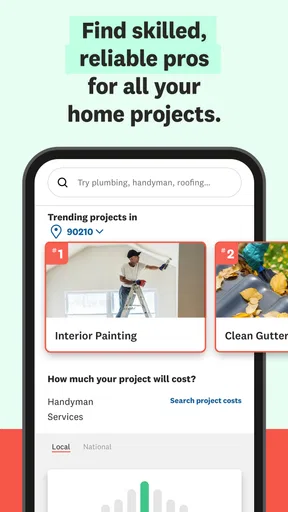
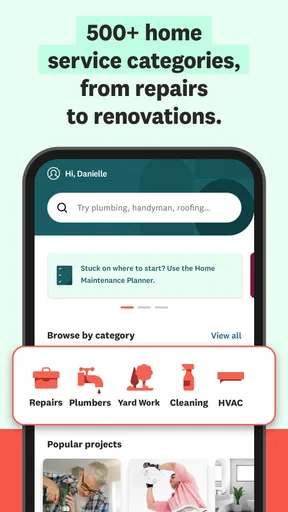
When it comes to browsing, Angi offers an intuitive search function. You can look up anything from plumbers to painters, electricians to landscapers. Plus, the app doesn’t just throw a list of names at you. Each service provider comes with a detailed profile, showcasing reviews, ratings, and even photos of previous work. It’s like a matchmaking service for your home projects.
Booking a pro is seamless. Once you find someone who fits the bill, you can check their availability and book directly through the app. No more endless phone calls or email chains to lock in a date. Everything's right there at your fingertips.
Trustworthy Reviews and Ratings
We all know that reviews are king in the digital age, and Angi doesn’t disappoint. The app features a robust review system where real users share their experiences. I found this particularly helpful in making informed decisions. The transparency here builds trust, and you can tell that Angi takes pride in connecting users with reliable professionals.
Cost Transparency and Estimates
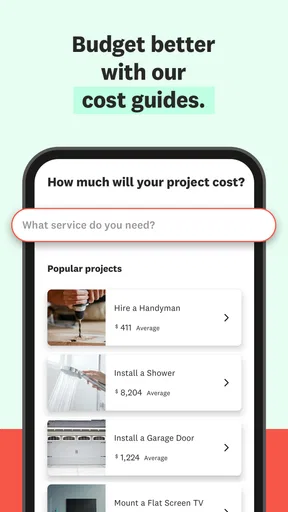
Let’s talk money. One of the standout features is the cost transparency. Angi provides estimates for services based on the scope of the job, so you’re not left in the dark about potential costs. No more surprise bills! This feature is a lifesaver for anyone on a budget, helping you plan your projects more effectively.
Additional Features Worth Mentioning
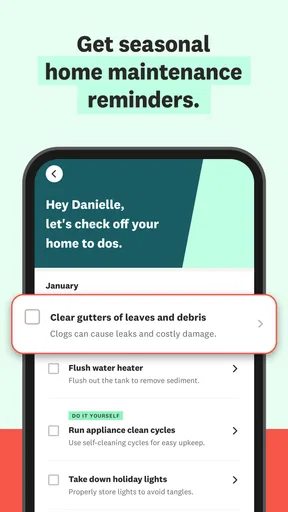
Aside from the essentials, Angi includes some nifty extras. For instance, the app offers a project planning tool, allowing you to track progress and manage your to-do list. There’s also a handy feature that lets you save your favorite pros for future projects. This app really feels like a toolbox that keeps on giving.
Practical settings and sensible checks
Before I rely on any home-service app, I check that my contact details and project location are current, since an accurate location is central to finding relevant local help. I also review notification preferences so appointment updates do not get lost among alerts I do not need. These are ordinary housekeeping steps rather than special Angi tools, but they make a real difference to a booking workflow.
I would also keep project notes outside the app if a job has several stages or household members need to coordinate. A simple record of the agreed task, questions, and appointment details gives me something clear to refer back to. If a booking changes, I would check the app and any direct messages from the professional rather than relying on memory or an old calendar entry.
Who will get the most from it
This app makes the most sense for homeowners and renters who want help with a defined repair, maintenance task, or improvement and prefer to compare providers without starting from scratch. It can also be useful when I have several unrelated jobs to plan, such as finding a painter after arranging a repair, because the same search-and-review approach applies across different home services.
I would be less enthusiastic about using it for someone who already has a trusted roster of tradespeople and rarely needs alternatives. It is also not a magic shortcut for a project that needs technical diagnosis before anyone can quote it. In those cases, a direct referral or a specialist’s own site may be a better first stop, while Angi remains a reasonable way to broaden the search if the first lead falls through.
What to confirm before committing
Readers often wonder whether finding a pro in the app means every detail is settled. I would not assume that. Before confirming work, I would clarify the exact task, what materials or cleanup are included, how payment is handled, and what happens if the inspection changes the estimate. A profile can help me choose whom to contact, but direct confirmation is what turns a promising match into a clear plan.
Another practical question is whether every job can be booked in the same way. The experience can depend on the service and the professional, so I would follow the options shown for the specific request and be ready to speak with the provider when details need discussion. For work where timing matters, I would confirm the appointment rather than treating an availability display as a guarantee that nothing can change.
Ratings, scale, and the trade-off
Angi is free to download and is published by Angi Inc. Its average rating is 4.2 from around 45,000 ratings, with over 5 million installs; that gives me a sense that many people use it, but popularity alone cannot tell me whether a particular contractor is right for my job. I would weigh recent, relevant feedback and clear communication more heavily than the headline score.
The app is rated for Everyone, and its current version is 26.22.0, with Android support beginning at version 7.0. It has been available since July 12, 2011, and has around 14,000 written reviews. Those details make it an established home-services option, though what matters in practice is still the local choice of professionals and the quality of the conversation about my specific project.
For a first-time user, I would keep the workflow simple: define the job, compare a few relevant profiles, ask the same core questions, and save the details of the option I choose. That avoids making a decision based only on a polished profile or the first estimate. It also makes it easier to return later with a clearer sense of what worked and what I would ask differently next time.
The Final Word
After exploring Angi: Hire Home Service Pros, I can confidently say it’s a game-changer for anyone looking to take the hassle out of home repairs and improvements. Its user-friendly interface, coupled with detailed profiles and honest reviews, makes it a reliable companion for any homeowner. Whether you're fixing a leaky faucet or revamping your garden, Angi connects you with the right person for the job, ensuring peace of mind every step of the way.
If you’re on the hunt for a stress-free way to find home service pros, I’d say give Angi a shot. It might just be the helping hand you’ve been searching for.
A grounded verdict
My recommendation comes with one important qualification: I see Angi as a practical way to organize discovery, not as a guarantee of workmanship or a replacement for asking careful questions. Its strongest use is turning a vague “who can help?” moment into a manageable shortlist and a more informed conversation. That is valuable, especially when I do not already know whom to call.
If I were choosing a home-service app for the first time, I would try it with a straightforward, non-urgent task and pay attention to how clearly the available profiles and booking steps fit my needs. For a complex renovation, an emergency, or a job requiring a narrow specialty, I would widen the search and compare direct referrals too. Used with that judgement, Angi can be a helpful part of a homeowner’s routine rather than the only tool in it.
Pros
- Wide range of services available.
- User-friendly interface for easy navigation.
- Verified professionals ensure quality.
- In-app scheduling for convenience.
- Customer reviews help make informed choices.
Cons
- Some services may have limited availability.
- Subscription fees for premium features.
- Occasional delays in service response.
- App notifications can be overwhelming.
- Limited customization for service requests.
FAQs for Angi: Hire Home Service Pros
What is Angi and how does it work?
Angi is a platform that connects users with local home service professionals for various tasks like plumbing, painting, or cleaning. Users can browse through a list of verified professionals, read reviews, compare quotes, and hire the best fit for their needs directly through the app.
Is Angi free to use?
The Angi app itself is free to download and use. However, costs are associated with the services you hire through the platform. Users receive quotes from professionals, and prices vary based on the service type, complexity, and location.
How can I ensure the professionals on Angi are reliable?
Angi vets its professionals through background checks and verifies their licenses where applicable. Users can also read detailed reviews and ratings from previous customers to gauge reliability and quality before hiring a service provider.
Can I get a refund if I'm not satisfied with the service?
While Angi does not directly handle payments or refunds, it encourages users to resolve issues through the platform's resolution center. It's important to read the terms and conditions of each professional service, as refund policies may vary.
How do I contact customer support if I have issues with the app?
Users can contact Angi's customer support directly through the app or via their website. The support team is available to assist with any technical issues, concerns about service providers, or general inquiries about using the platform.


